Christmas budget spreadsheet: plan the whole season in one file
December spending rarely goes wrong because of one big purchase. It goes wrong because of forty small ones: an extra gift for a colleague, a second grocery run, train tickets bought late, wrapping paper, a last-minute dinner out. A Christmas budget spreadsheet puts all of those in one place so you can see the total before the bank statement shows it to you.
What a good Christmas budget spreadsheet should do
Plenty of free templates are just a list with a sum at the bottom. That helps a little, but the useful part of a holiday budget is the comparison between what you planned and what you actually spent. Look for these features:
- One total budget at the top. Decide the number first, then divide it. Starting from a total keeps the plan honest.
- Categories beyond gifts. Food and drinks, travel, decorations, wrapping and cards, events, charity and a buffer often add up to as much as the presents themselves.
- Planned vs. actual per line. Each gift and each category should show the planned amount, what you really paid, and the difference.
- Warnings when something goes over. A red cell is easier to notice than a negative number in a long column.
- A gift list with status. Tracking each present from idea to bought to wrapped to given stops duplicate purchases and forgotten people.
- It works on your phone. If the file lives in Google Sheets you can update it in the shop queue, which is when you actually spend.
How to set one up in 15 minutes
- Pick your total. Look at what you can pay from savings and this month's income without using credit. That figure is your ceiling.
- Split it into categories. A common starting point is roughly half for gifts and the rest spread across food, travel, and everything else, but your split should reflect your own plans. Hosting a big dinner? Move more to food.
- List the people. Write every gift recipient, group them (family, kids, friends, work) and give each a budget. Make sure the gift budgets add up to no more than the gift category.
- Keep a buffer. Leave a small line for things you will forget. You will forget something.
- Log as you go. Enter each purchase the day you make it. It takes ten seconds and keeps the totals true.
Build your own or use a template?
You can absolutely build this yourself with SUM and a few conditional-formatting rules. If you enjoy spreadsheets, go for it. If you would rather spend the evening on the plan than on the formulas, our ready-made template does all of the above out of the box.
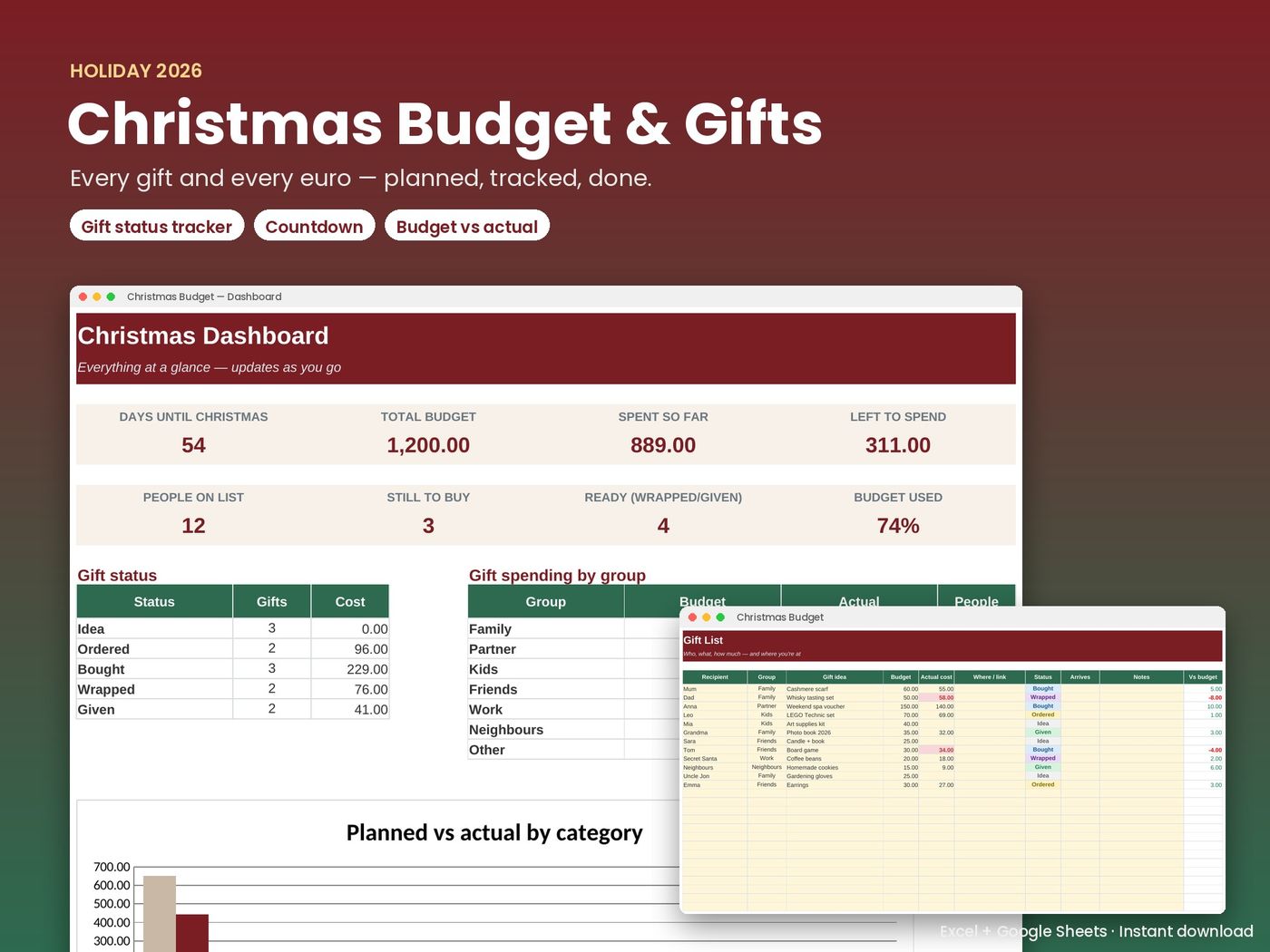
Christmas Budget & Gift Tracker — €4
Excel + Google Sheets. One-time purchase, instant download.
Buy now — €4 See what's insideThe Christmas Budget & Gift Tracker includes a total budget split into 9 categories, a gift list for up to 100 people with status tracking, over-budget warnings per gift and per category, spending by group and a Christmas countdown. It opens in Excel (Windows or Mac) and in free Google Sheets, and every download is blank and ready for your own numbers.
After Christmas
Keep the file. In January, the actual totals tell you exactly what Christmas cost, which makes next year's plan much easier. If December showed you that monthly money is the bigger issue, the 2027 Budget Planner helps you set a steady monthly budget, even with irregular income. Want the full set? The Fresh-Start Bundle includes all three templates for €15.
New to holiday budgeting? Read our step-by-step guide how to budget for Christmas, with a worked example.
Frequently asked questions
Does the Christmas budget spreadsheet work in Google Sheets?
Yes. The file is a standard .xlsx that opens in Microsoft Excel on Windows and Mac and can be imported into free Google Sheets, where the formulas keep working.
Is it a subscription?
No. It is a one-time purchase of €4 with an instant download. You keep the file.
Can I change the categories?
Yes. Category names and amounts are editable, so you can rename or rebalance them to match your own holiday.
Will the screenshots data be in my file?
No. Screenshots show example data so you can see how it works. Your download is blank.